
How it works
From the first call to getting paid, whether the job takes an hour or a week.
- Step 1
Set up in minutes
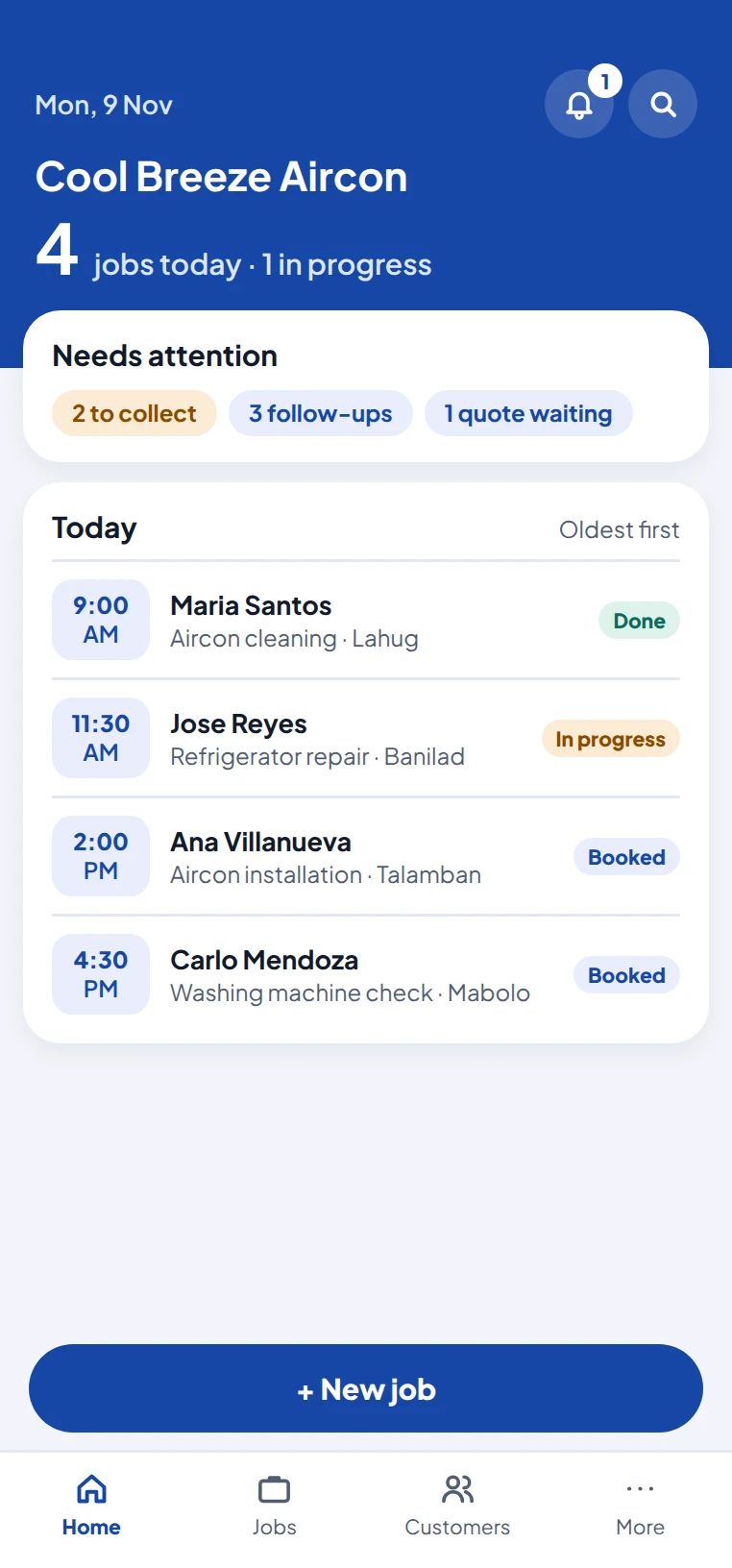
Pick the business types you do. ServicePocket suggests services, parts and checklists for each, so you start with a full catalog and change the prices to yours. Add your logo, working hours and days off.
No account and no internet needed to start.
- Step 2
Book it and quote it
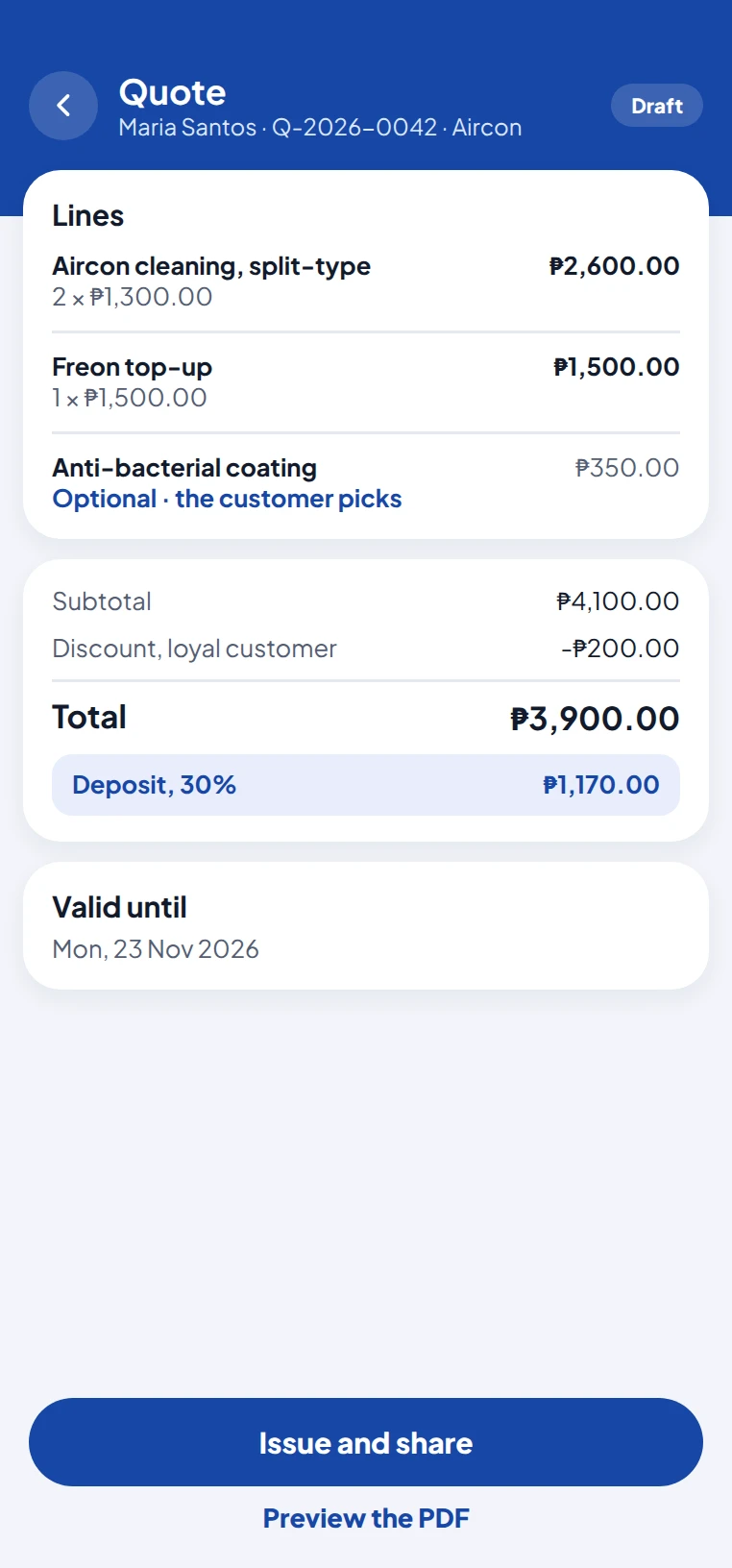
Save the customer and their address, book a visit, and send a quote from your catalog in a few taps. Offer choices, add a deposit, and follow up when they have not answered.
- Step 3
Do the work
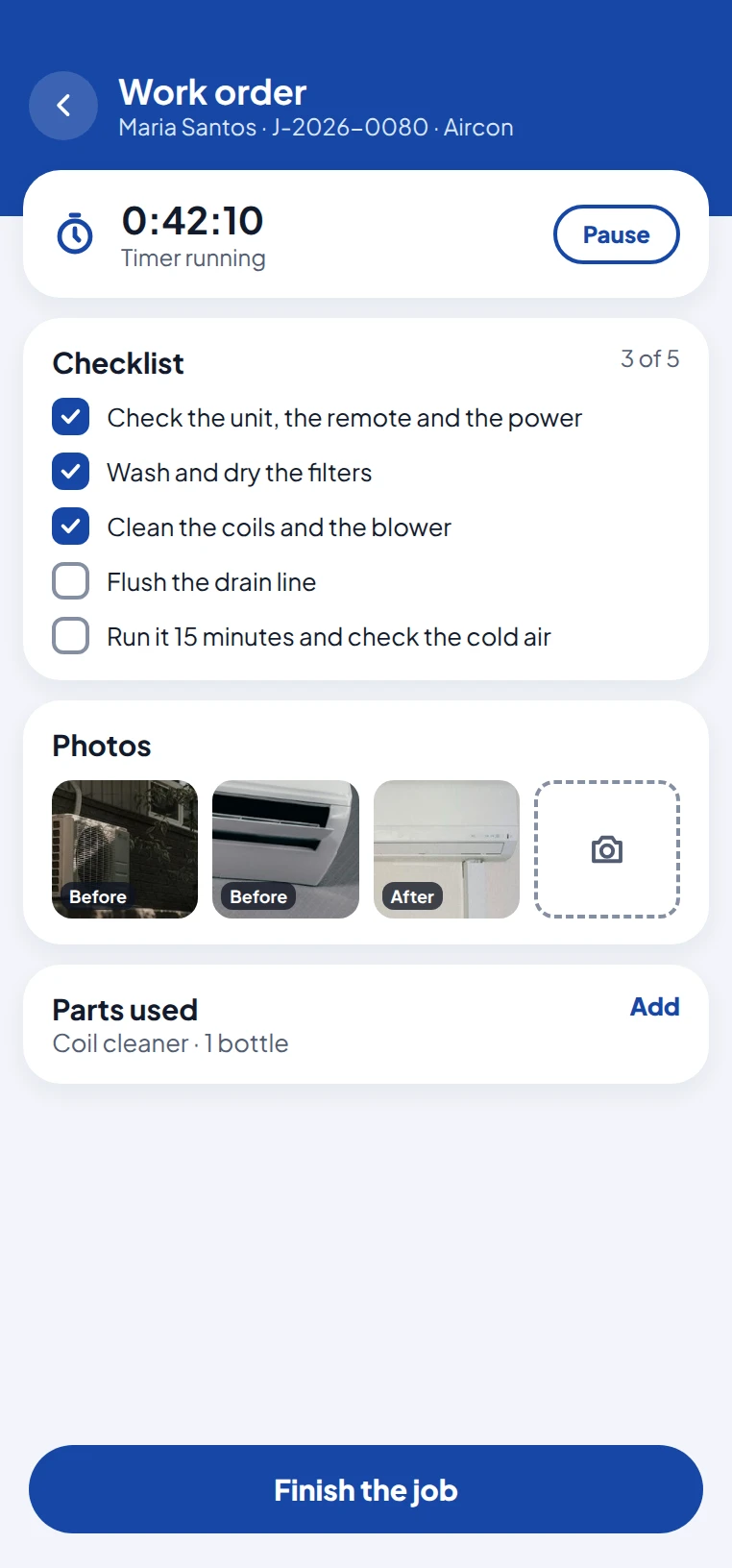
Tell the customer you are on the way. On site, the work order has the checklist for each service, room for before and after photos, a job timer and the parts you used. A job can stay open for as long as the work takes.
- Step 4
Finish and get paid
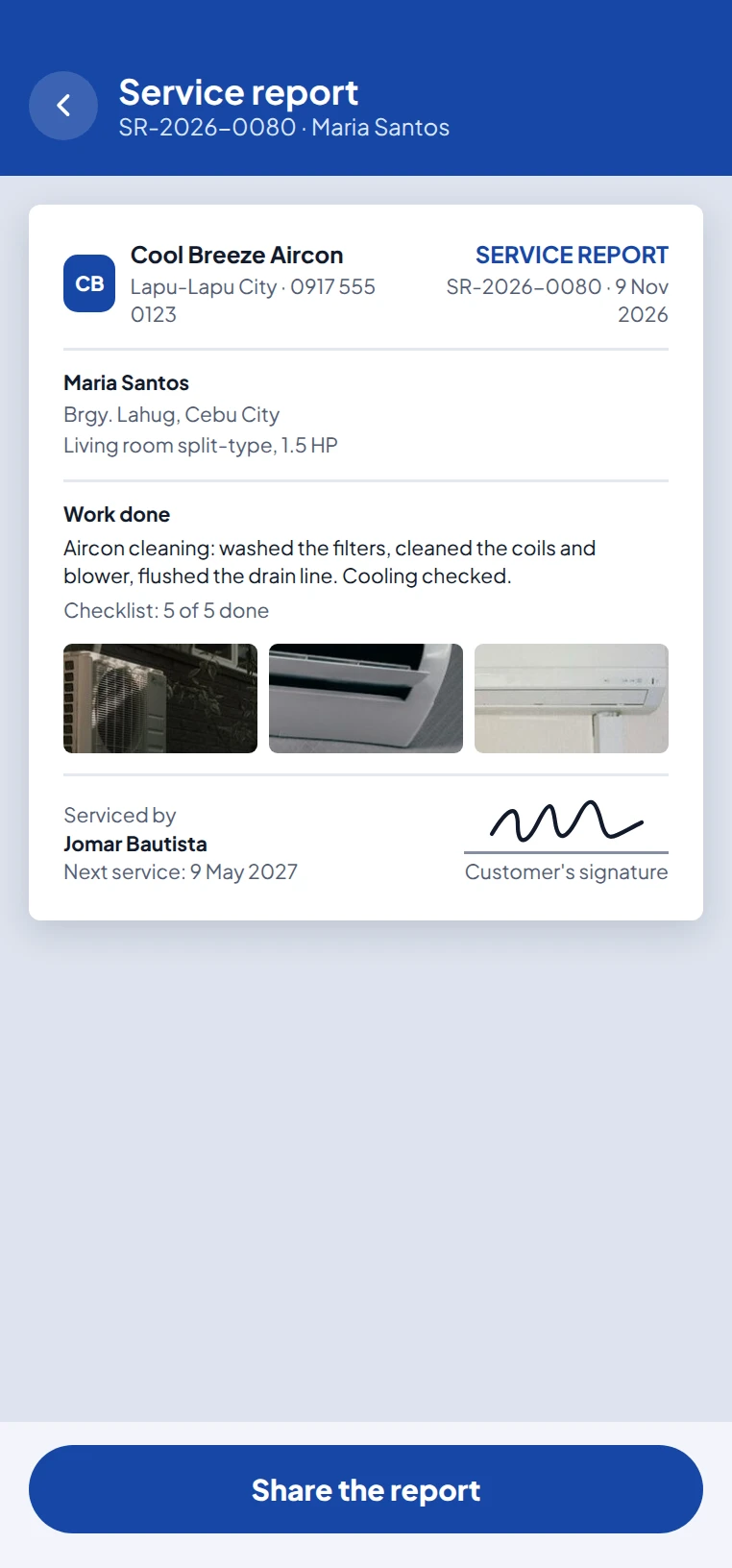
Finish the job and share the service report straight away. Record cash, GCash, Maya or bank payments, and see at a glance who still owes you. Set the next service date, and ServicePocket reminds you when it comes.
Common questions
Do I need an account?
No. On your own, everything stays on your phone with no account. You sign in with your mobile number only for online backup, a team or a listing.
Does it work offline?
Yes. You can do your work with no internet; anything to send goes out, and a team's phones catch up, once you are back online.
Which phones does it run on?
Android 7.0 and newer. An iPhone version comes later.
What if I lose my phone?
Restore your backup file on the new phone, or sign in if you have online backup.
Who can see my customers' details?
Only you, and the team members you let see them. We never sell or share them, and there are no ads.
Is there a guide to the app?
Yes. The app has short How do I... guides under More, and the full user manual is a PDF you can download from the bottom of every page here.
Try it with your own jobs
Free for one person, for good. Start early and be one of the first shops.